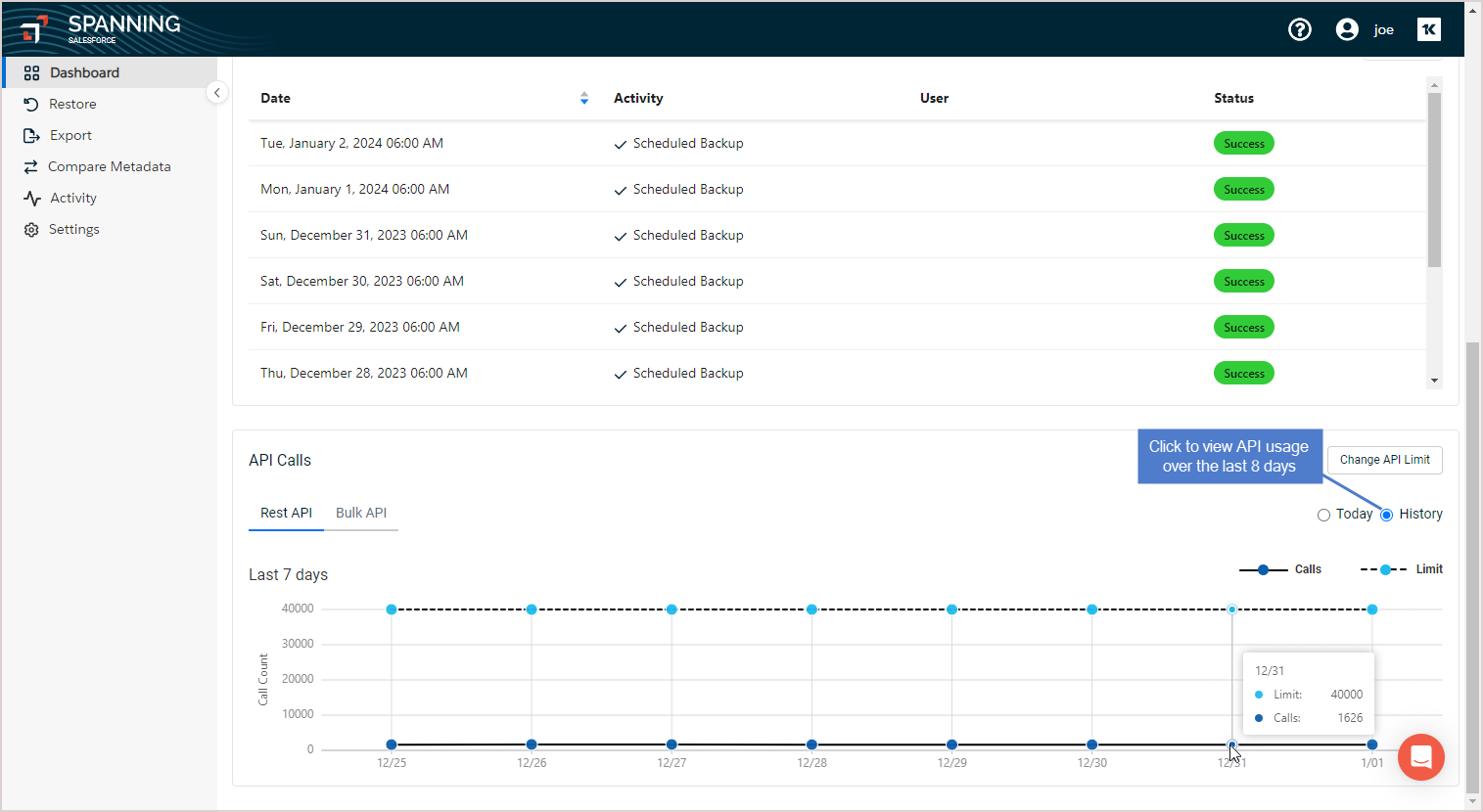
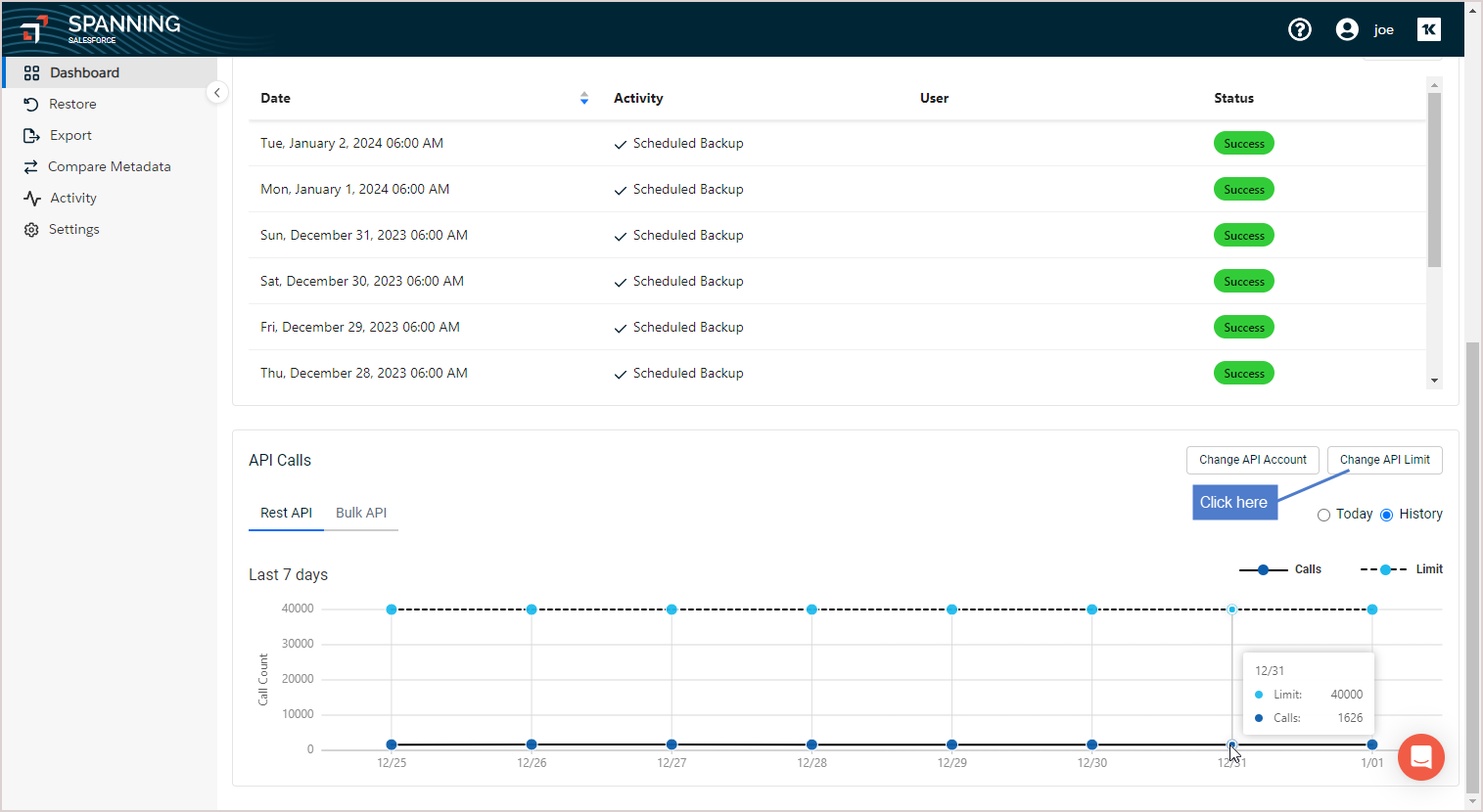
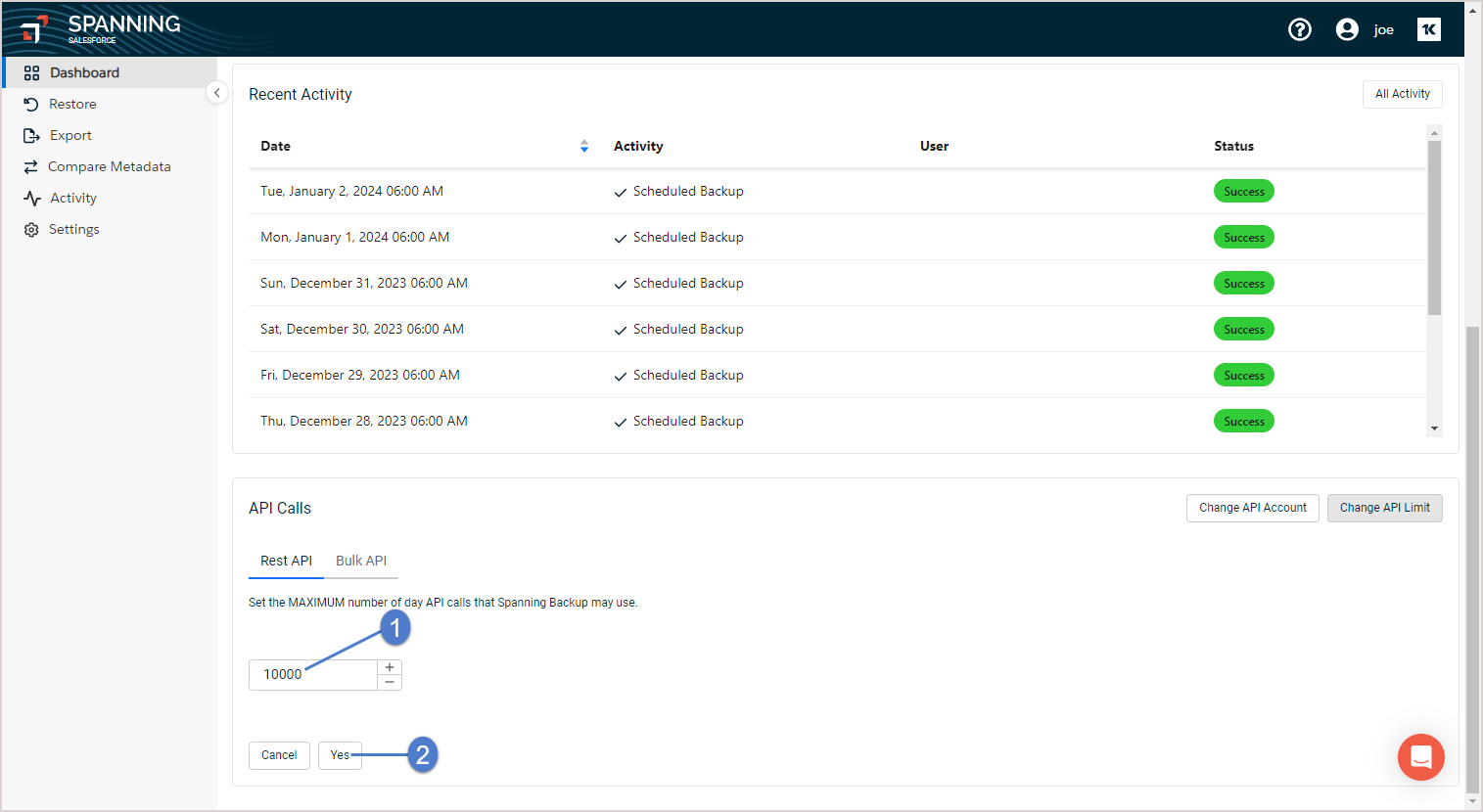
From the Spanning dashboard, click Change API limit and set a new value. To review the number of API calls made in each of the previous 8 days, click on the History tab and review the graph.
Steps to change Spanning API Limit and Last 7 days API Usage History:
- Log in to Spanning Backup for Salesforce.
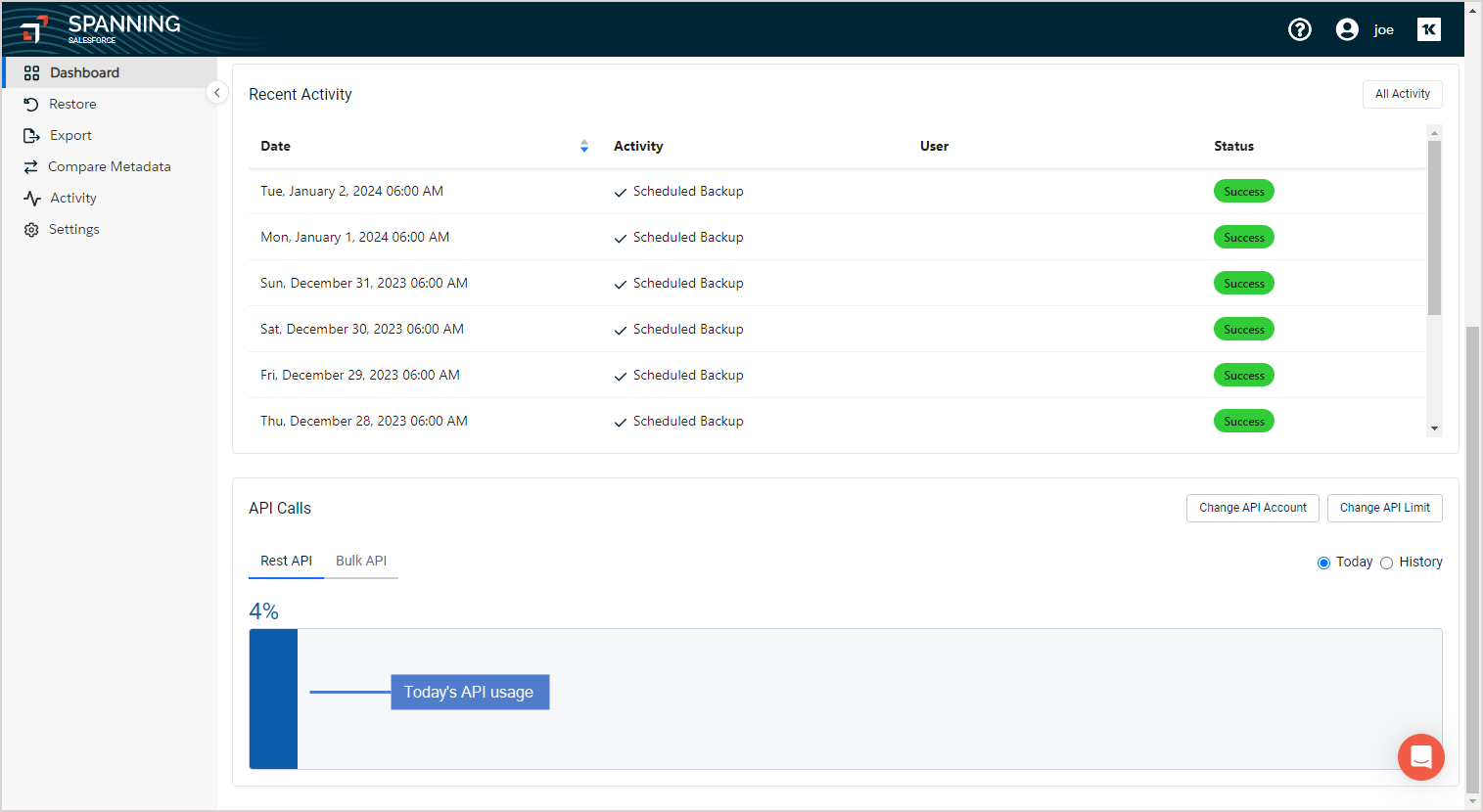
- On the Dashboard, scroll down to the REST API section.
- Review recent API usage.
- Check today's API usage:
- Select the History option to check API usage over the last 8 days:
- Click Change API Limit.
- Enter the new limit. Click Yes.
Bulk API
Under special circumstances, an environment might be so large or the rate of change so significant that the normal REST API capacity is not enough to keep up. In these rare cases, Spanning can utilize Bulk API methods instead to process large batches of data for backup.
- Bulk queries are metered separately and differently from REST queries.
- Bulk queries are measured and limited by the hour.
Spanning leverages both the REST API and the Bulk API for backup and restore operations, depending on the data volume and type. By default, Spanning uses the REST API for smaller, real-time operations, while the Bulk API is automatically utilized for large data loads or environments with high rates of change, as it is designed to process large batches asynchronously.
Spanning dynamically switches between REST and Bulk API based on system requirements and data thresholds. This behavior is controlled at the server level, and it is not possible to force Spanning to use Bulk API exclusively or to manually enable Bulk API from the backup side, as this logic is hard-coded into the application.